NPC lookups
nexMap4 can look up denizens (NPCs) by name and route you to their known rooms. Denizen data comes from a remote denizen service, so this feature requires that service to be configured and reachable.
Searching
nm npc Orinula
nexMap.api.search.denizens("Orinula", { showResults: true });
A match resolves to a denizen record with an id, name, the resolved area
(name and continent), and a room list of known room ids. nexMap4 enriches each
hit against the graph so the area and continent are filled in even when the
remote record is sparse.
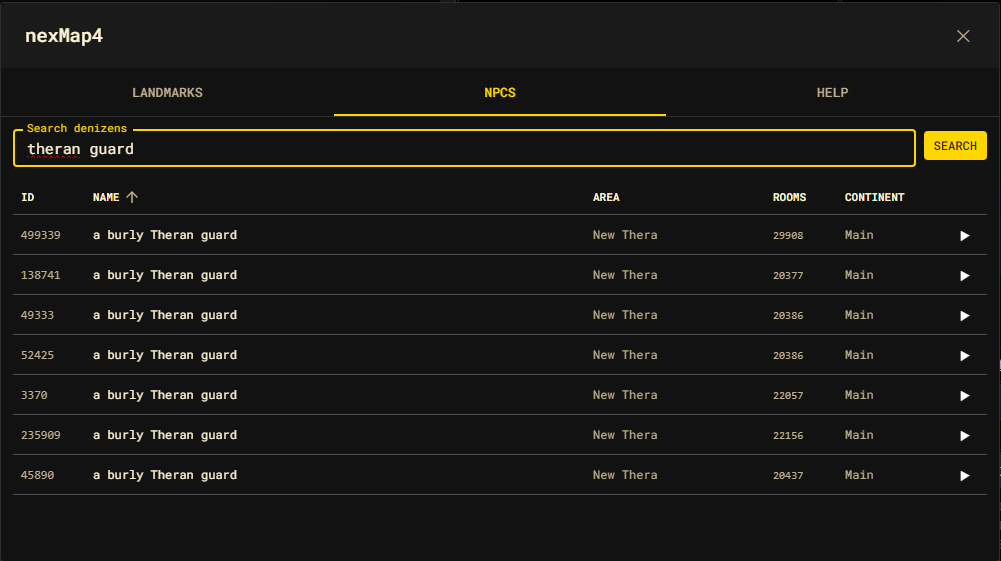
The NPC explorer panel
The NPC tab of the shell is an interactive search surface:
nm shell
nexMap.api.system.openShell("npcs");
Type a name and press Search (or Enter). Results appear in a sortable table
with ID, Name, Area, Rooms, and Continent columns. The
Rooms column shows the single room id when a denizen has one known location,
or a N× count when it roams.
| Action | Result |
|---|---|
| Click a row | Travel to the denizen's primary (first) known room. |
| Click ▶ | Travel to the next known room, cycling through all of them on repeated clicks. |
The cycling ▶ button is built for roaming denizens that appear in several rooms — each press advances to the next location.
Results dialog
When you run nm npc <name> from the command line (rather than the panel), the
hits open in the floating Results dialog with the same columns. A row click
closes the dialog and travels to the denizen's primary room.
Requirements and behavior
- A denizen search with no configured remote client raises an error ("Denizen search requires a configured remote denizen client.").
- Searches are asynchronous; the panel shows a spinner while a query is in flight.
- A denizen with no known rooms cannot be traveled to — clicking it does nothing.